

CapCut Mac Torrent
9.3.0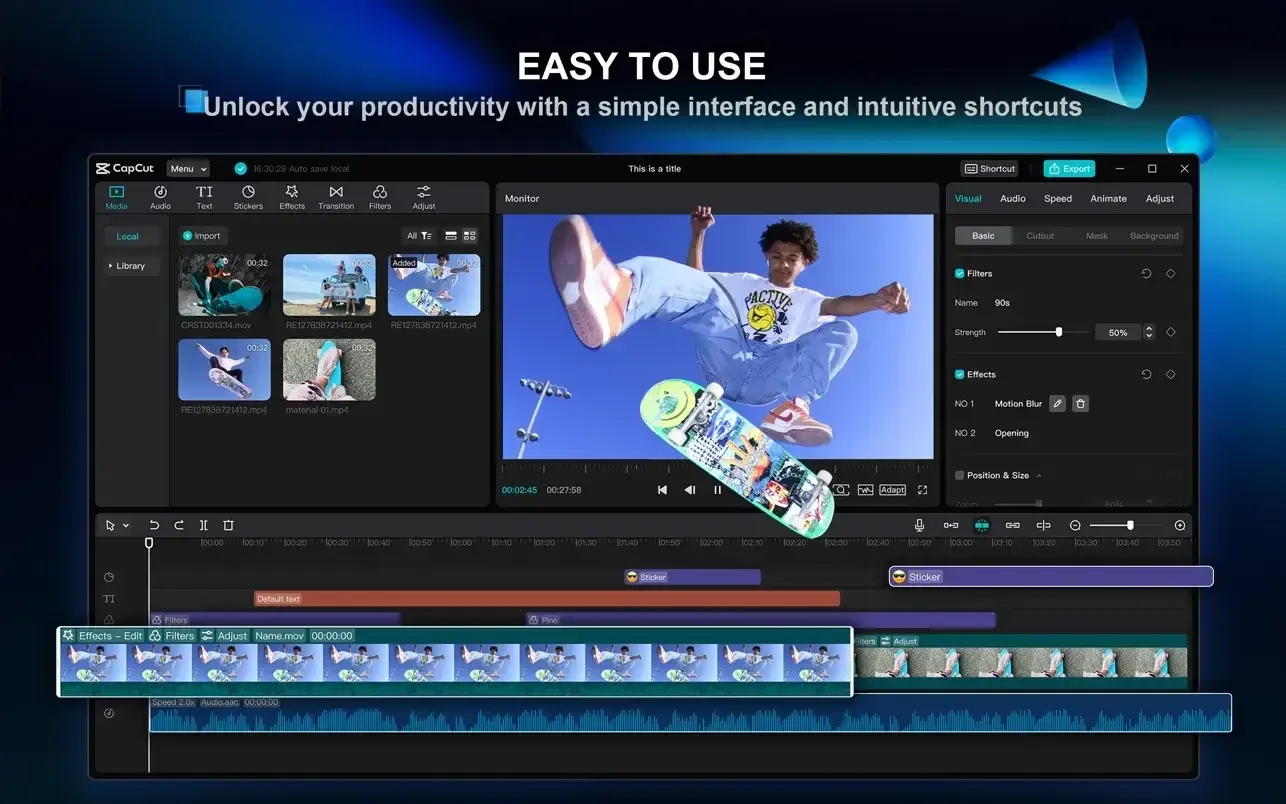
CapCut is a versatile video editor from ByteDance, packed with AI features for automatic subtitles, background removal, and script-to-video generation. It provides a comprehensive toolkit for social media content creation.
- Requires macOS 10.14 or later
- ARM, x86 (64-bit)
Download CapCut 9.3.0 for macOS
This page provides the CapCut 9.3.0 build for macOS. The download is packaged as a torrent file. Version 9.3.0 represents a recent iteration of the editor, bringing its suite of AI-assisted tools to Mac users. The architecture support for both ARM and x86 processors means this build is ready for the transition from Intel to Apple Silicon Macs.
System Requirements for This Build
This build of CapCut 9.3.0 requires macOS 10.14 (Mojave) or a later version of the operating system. It is compiled as a universal binary, supporting native execution on both Apple Silicon (ARM) and Intel (x86) Macs. Ensure your system meets these requirements before proceeding with the download.
AI Video Editing Features in CapCut
Developed by ByteDance, CapCut is a multi-track video editor built around AI automation. Its core functionality includes generating subtitles from speech, removing video backgrounds with one click, and turning text into voiceover. For creators, the script-to-video feature can assemble clips, music, and captions from a written idea. Alongside these intelligent tools, it offers standard trimming, speed ramping, keyframe animation, and a large library of effects, filters, and transitions tailored for platforms like TikTok and YouTube. The interface is designed for quick editing, supporting export up to 4K resolution at 60 frames per second.
FAQ
Open the disk image and drag the app onto the Applications folder. When the copy finishes, open it from Applications.
Rosetta 2 lets an Apple silicon Mac run an Intel app. Install it from the prompt, or with softwareupdate --install-rosetta in Terminal. Read the guide.
Turn on Full Disk Access and App Management for Terminal in Privacy & Security, on Ventura and later and on Monterey and earlier. Read the guide.
System Integrity Protection blocks changes to protected Mac files. Turn it off only from Recovery with csrutil, then turn it back on. Read the guide.
macOS 26 removed Launchpad. Ten third-party launchers that open apps from a hotkey or an icon grid, with the prices their publishers list. Read the guide.
Software Update for the Mac you are on, Terminal when you need the full installer, Recovery if it will not start. Apple signs the download. Read the guide.
When macOS says an app is damaged, clear quarantine with xattr, allow it in Privacy & Security, or turn Gatekeeper off with spctl. Read the guide.
Related apps
More in Video
Downie & Folx Mac torrent — video downloaders plus the Folx download manager.

Final Cut Pro
12.2Final Cut Pro Mac torrent — Apple editor built on the magnetic timeline.

DaVinci Resolve
21.0-Beta-4DaVinci Resolve Mac torrent — Blackmagic editor with the industry color page.

4K Video Downloader
26.0.84K Video Downloader for Mac download — save YouTube and online videos as files.
Comments
No comments yet. Yours can be the first.